Camera and screens on your side
The front-facing design brings the rear-camera position toward the screen side, so you can frame your shot while keeping your screens in view.
 Multi-iPhone live rigs
多开直播神器 · by 智向未来
Bring your iPhones together in a purpose-built live rig. Choose 1, 2, 3, 4 or 6 phones, and go live through the apps you already use.
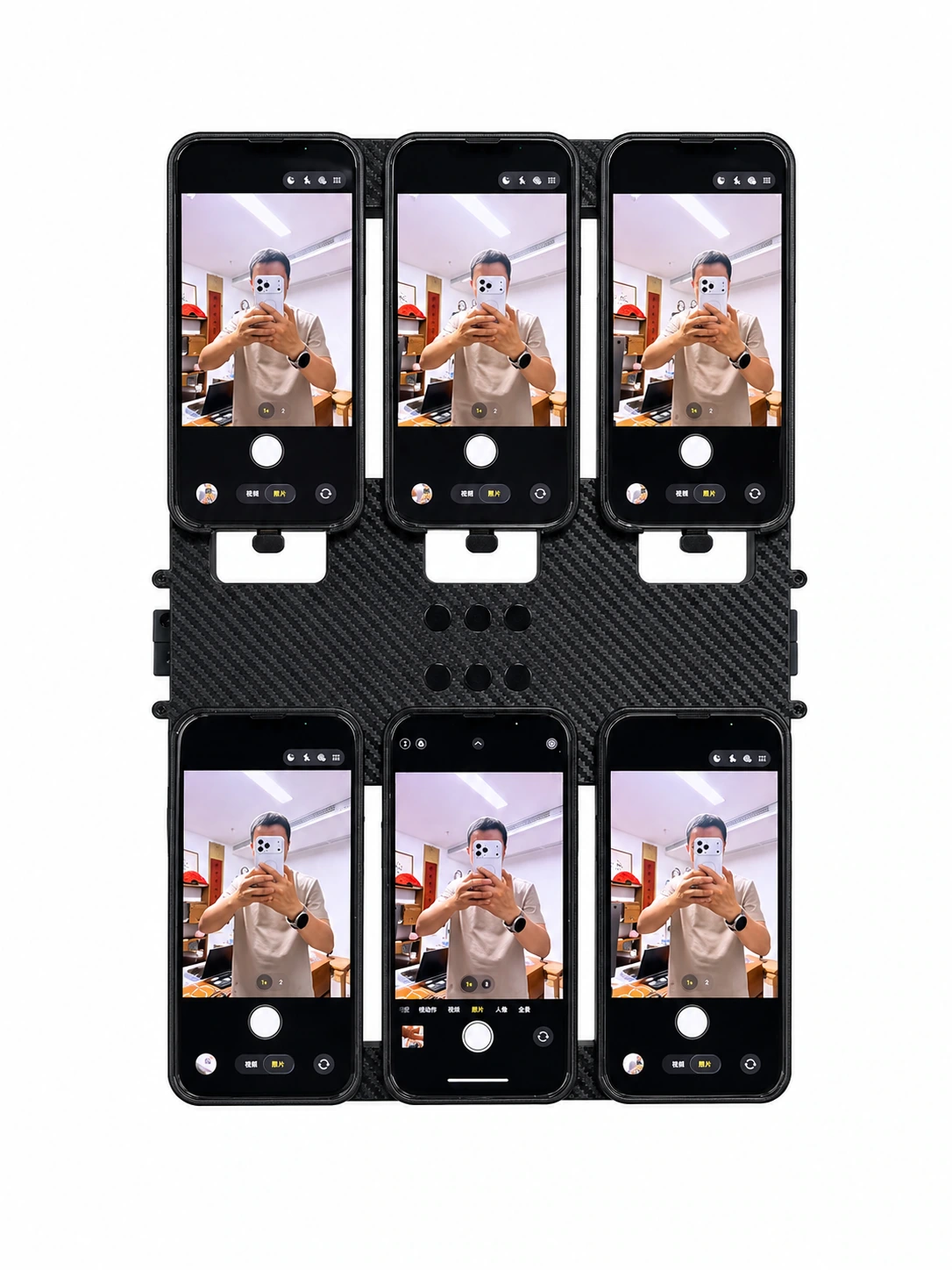
Each iPhone runs its own platform app. You choose the channels and accounts; the rig brings the hardware together.
Five ways to build your setup
Start with your phone count. Then compare camera layouts and choose the design that fits how you film.
Real front, rear, cooling and mounting views.
Your setup, clearly specified
Build your selection. Before payment, confirm the phone model and condition, package contents, destination, delivered price and after-sales terms.
Build my selectionPhone count, camera layout, camera direction and package quantity.
Confirm whether iPhones are included, their model and condition, and any accessories.
Confirm shipping, duties, lead time and warranty for your destination before purchase.
Choose with confidence
The layout names describe the cameras. The product photos show the actual phone arrangement.
| Rig | iPhones | Camera layouts | A starting point for | Proposed USD / rig | Explore |
|---|
Before you choose
Clear answers for a smoother first live session.
Built around your live session
Explore the front-facing camera design with real front and rear views. Decide where you want to film and where you need to see your screens.
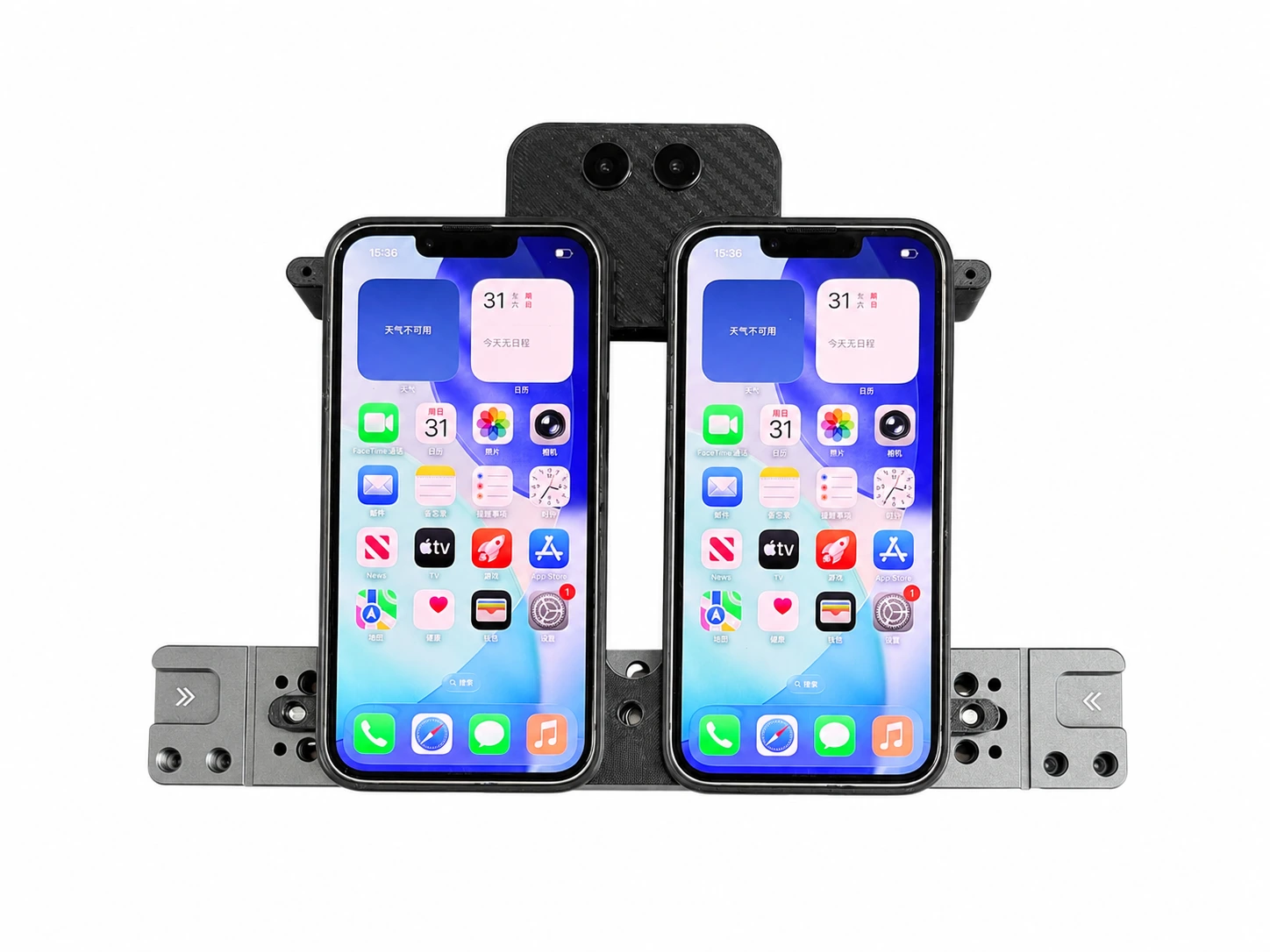 2-phone rig shown · Front-facing camera design
The front-facing design brings the rear-camera position toward the screen side, so you can frame your shot while keeping your screens in view.
From a single iPhone to a six-phone rig. Choose your count first, then the camera layout available for that model.
Open each platform's app on its iPhone. Apps must support mobile live streaming, and your account and region must meet the platform's requirements.
Choose your phone count. Make it your setup.